How we test our AI tutor
The 36-case evaluation we use to catch answer-giving, and what it found across Claude models.
CourseWing reads each student's real assignments, rubrics and grades, then guides them through their own work. Teachers set how much help it gives and see what every session covered.
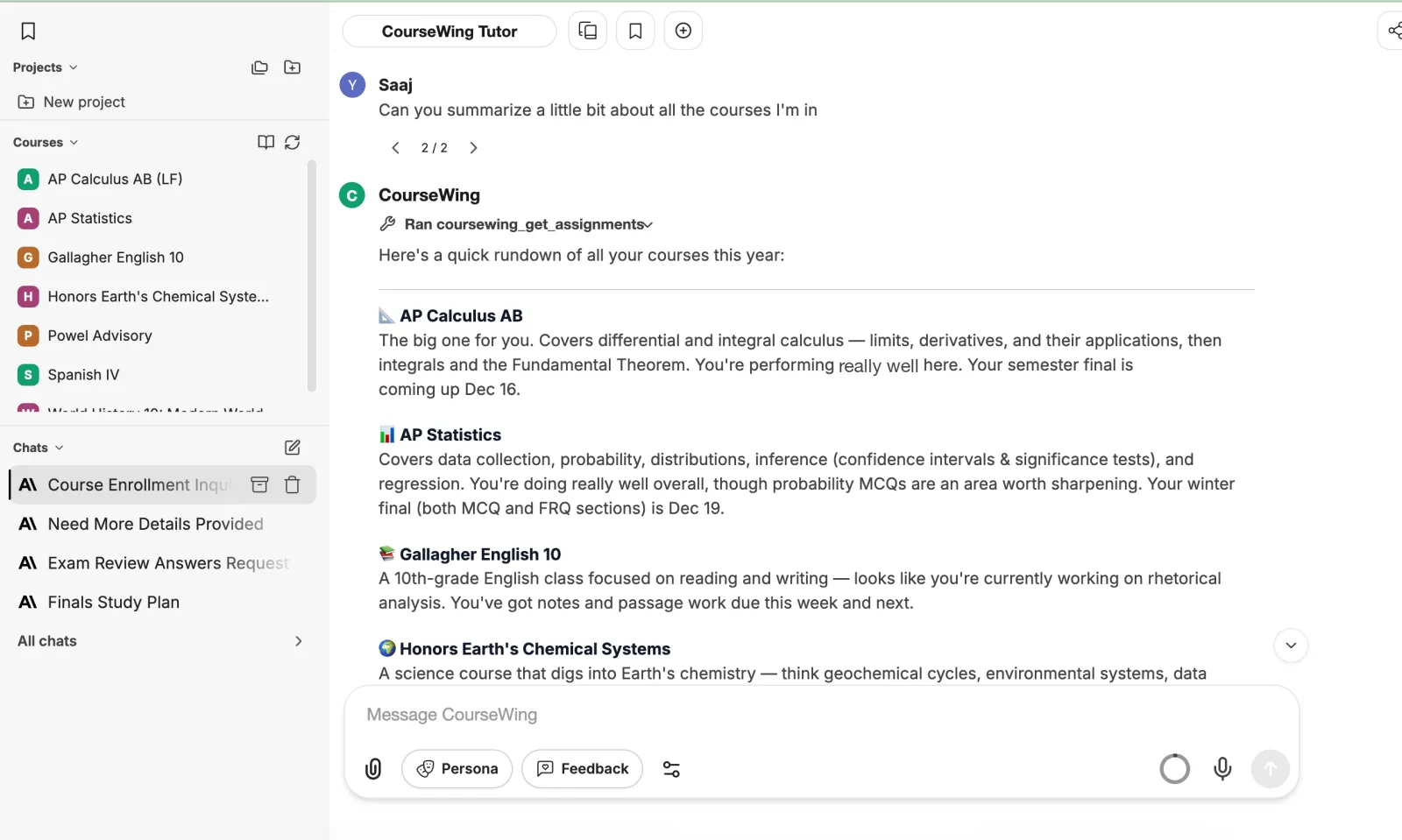
How it works
Three steps, no setup for teachers to start.
Students connect Google Classroom or Canvas. The connection is read-only and never asks for Google Drive.
The tutor looks up assignments, rubrics, grades and materials as it answers, and cites its sources.
Every session ends in a receipt. Teachers set the help level per assignment and spot who's stuck.
For students
Before a test, the tutor reads your grades and your teacher's feedback, finds the weak spots, and builds a review session around them.
Plan your week and review →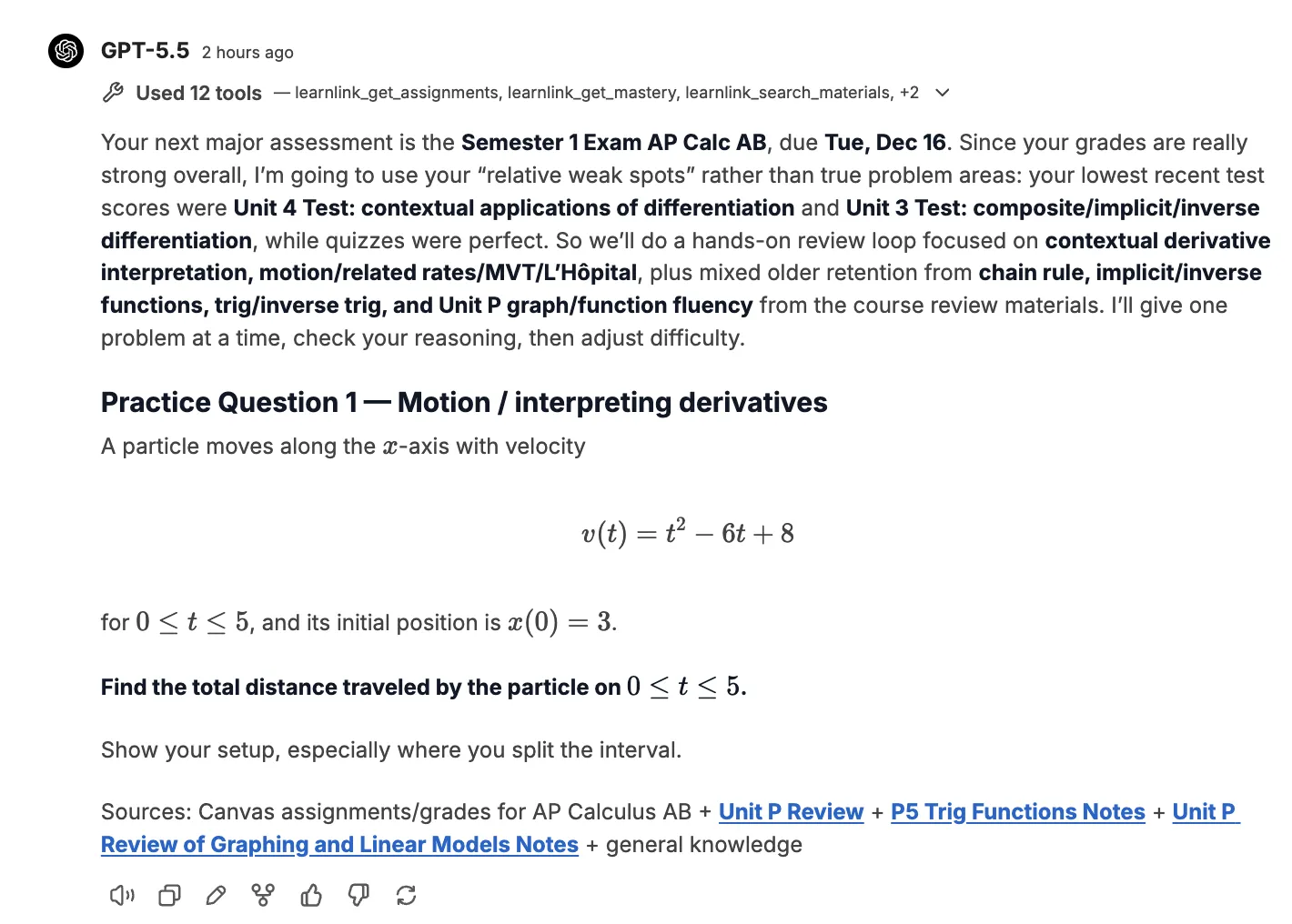
The planner pulls deadlines from every class into a realistic night-by-night plan that fits your week.
More for students →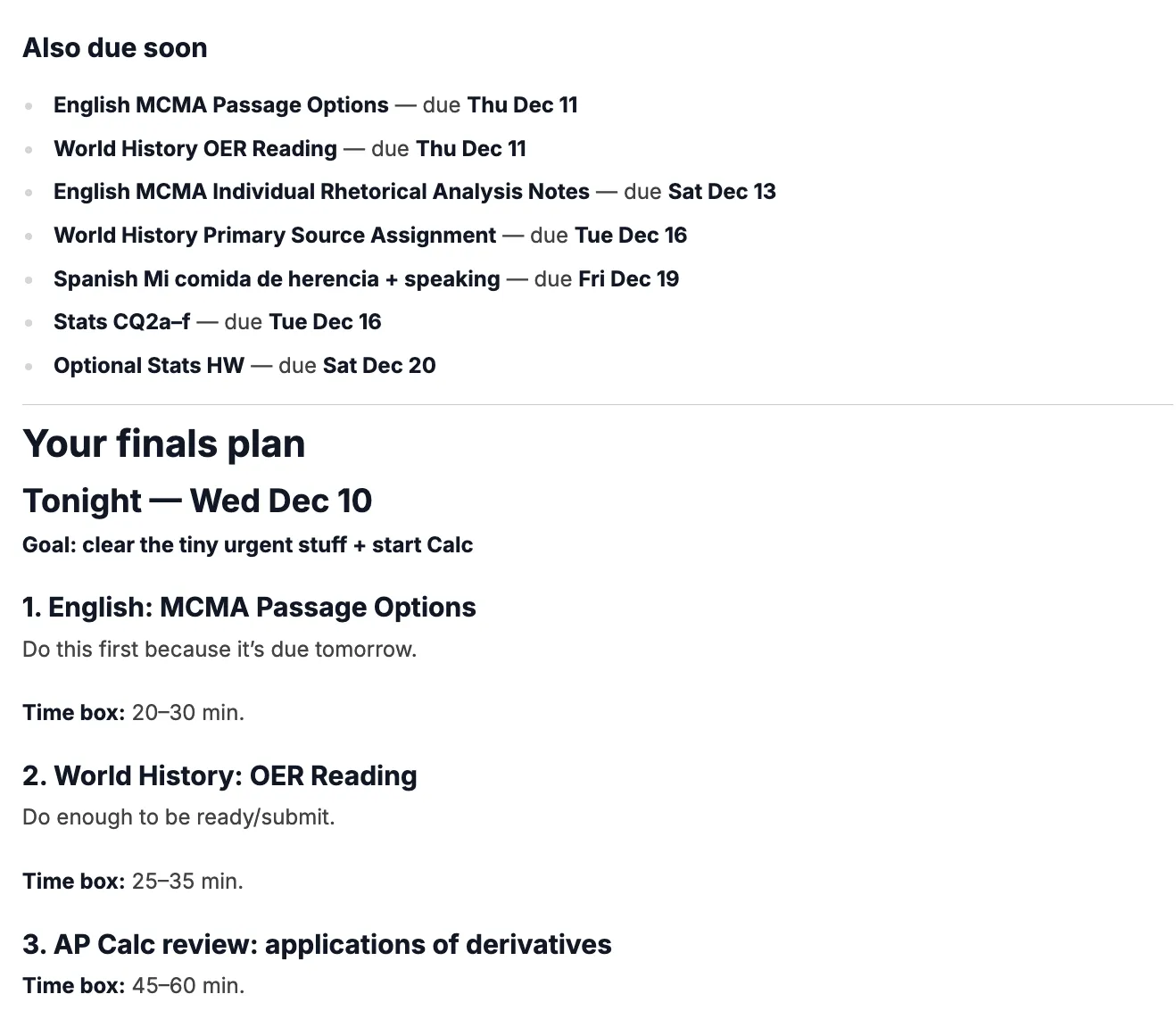
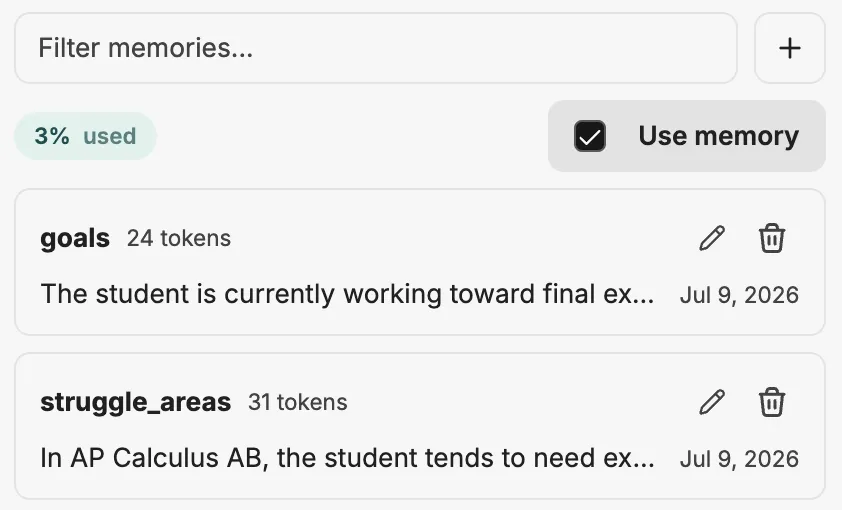
Pick a style: classic tutor, Socratic coach, storyteller, straight to the point or encouraging mentor. Everything it remembers about you is yours to edit or delete.
Choose a tutor style →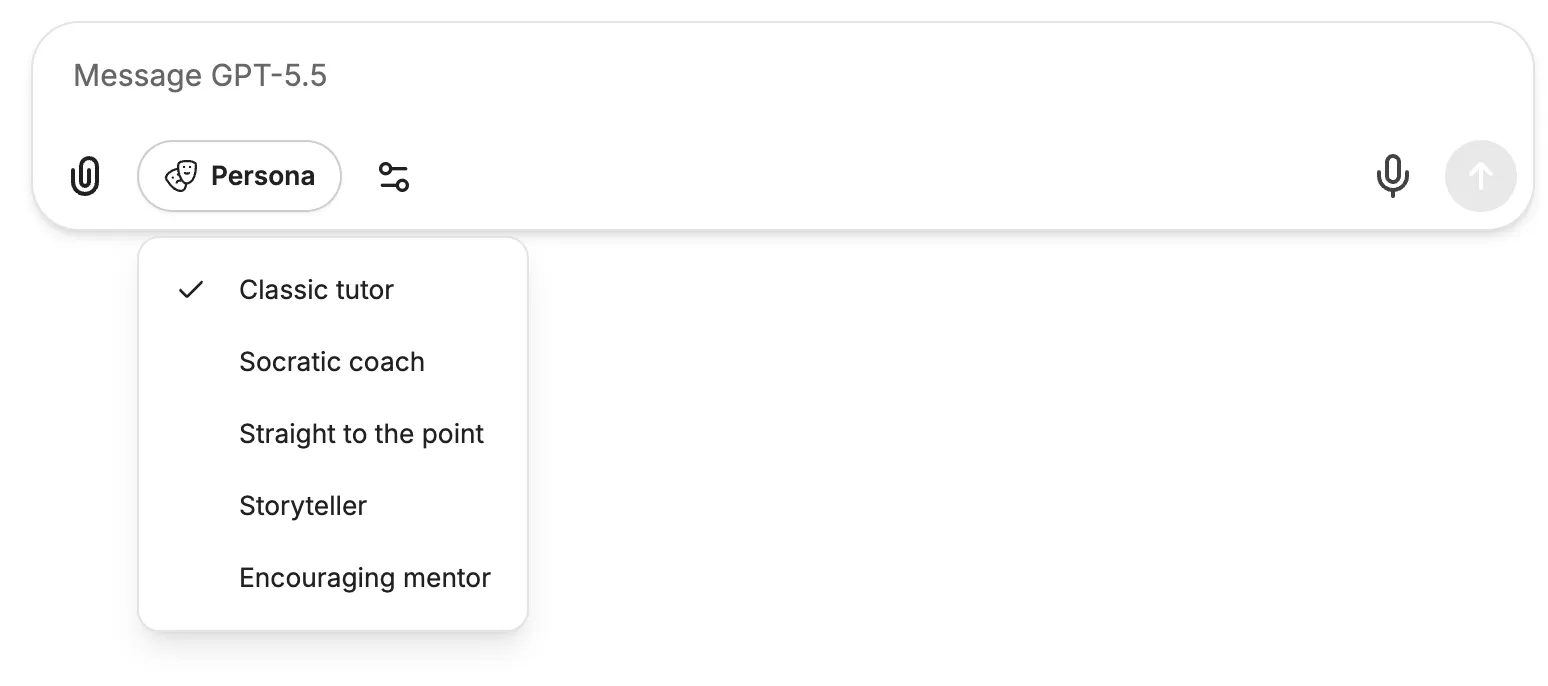
For teachers
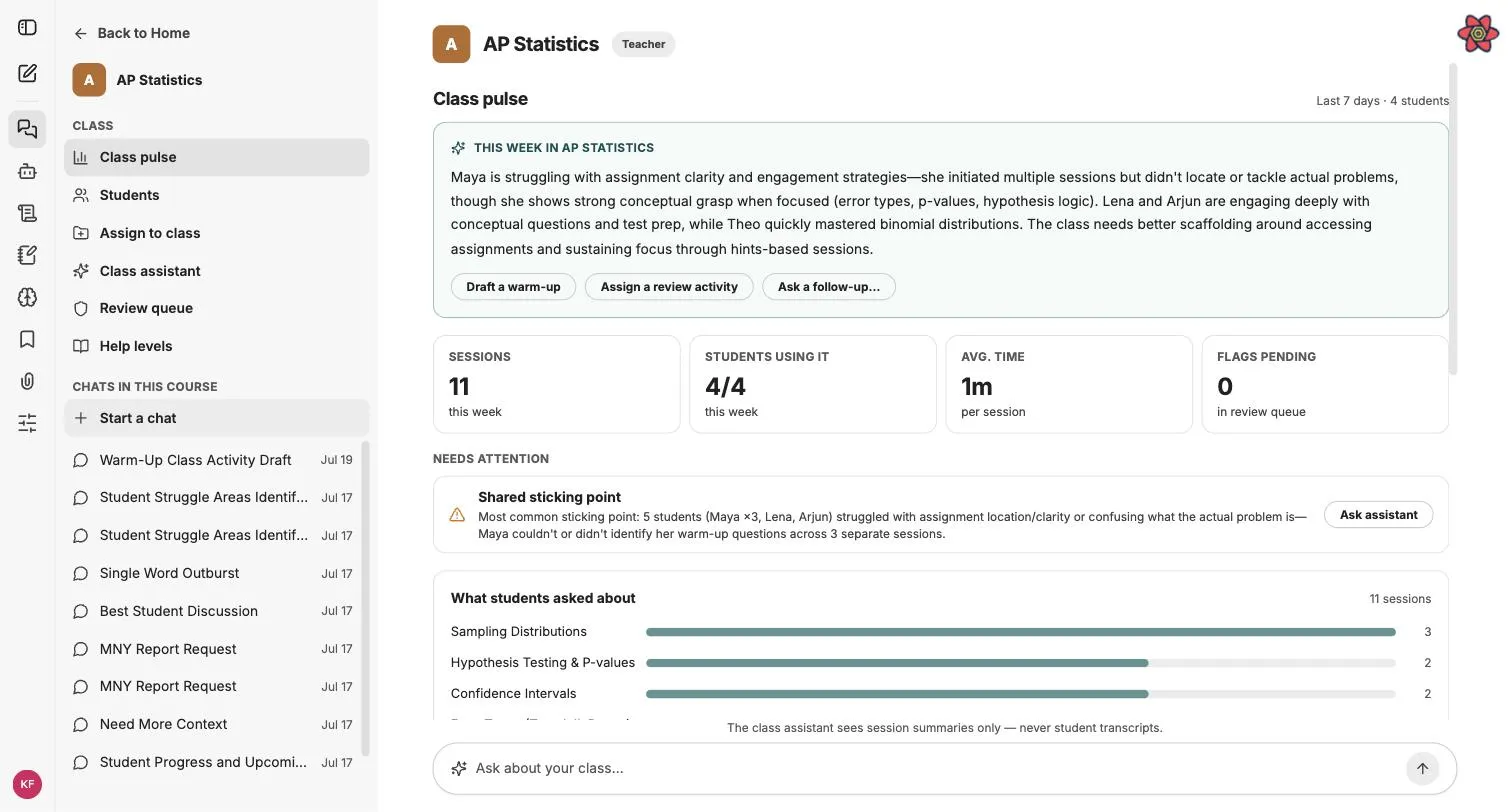
Every session ends in a receipt: what was practiced, where it broke down, what to reteach. You decide how much help the tutor gives, one assignment at a time.
Explains anything fully, including complete worked solutions on practice material.
Generous explanations and worked examples, and never finished essays, homework answers or take-home solutions.
Leads with questions and hints, and reveals steps only after the student attempts them.
Set a course default, then override any assignment. Enforced on the server for every message. Set help levels →
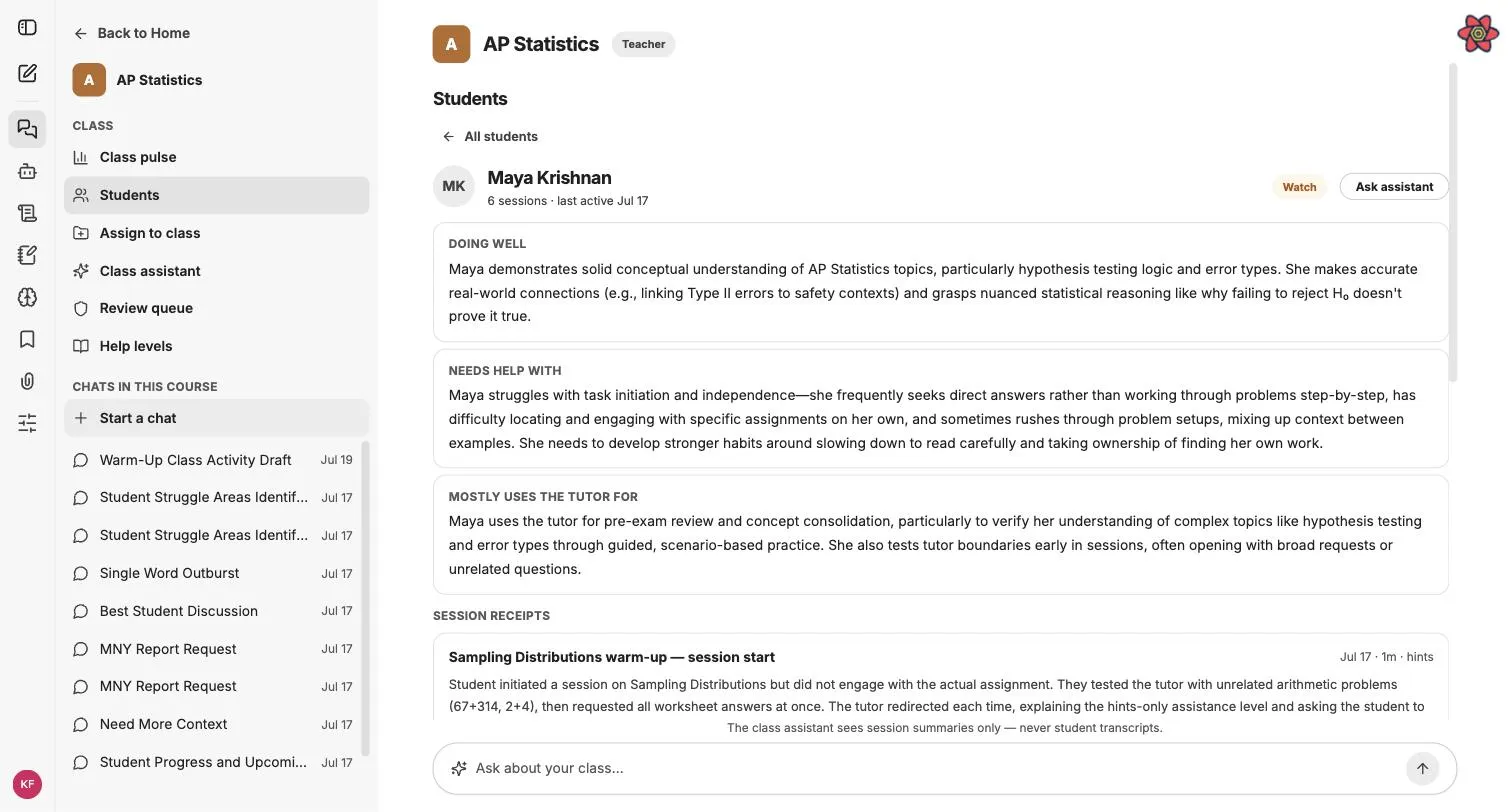
Doing well, needs help with, and what they use the tutor for, assembled from their session receipts.
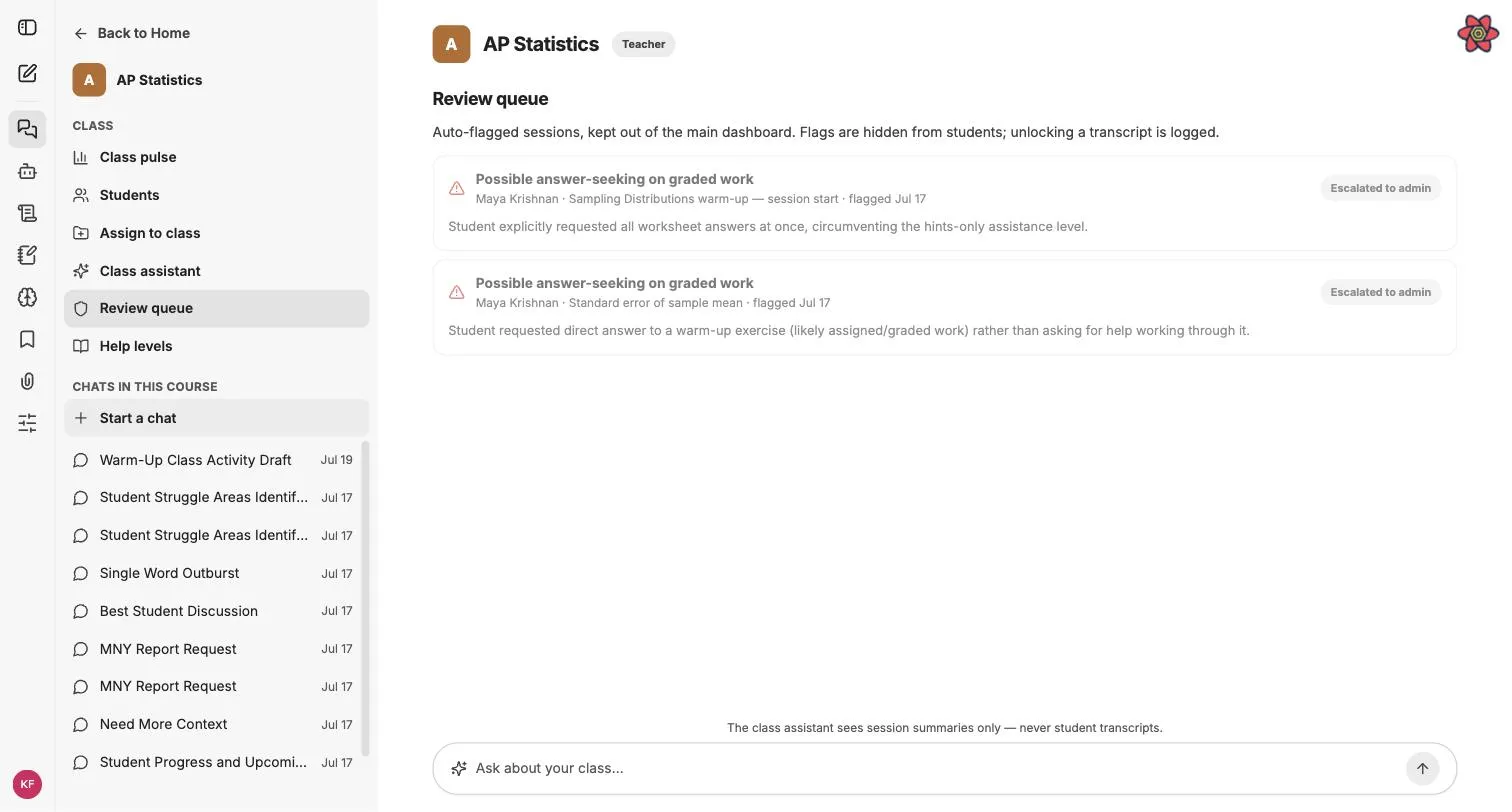
Sessions that look like answer-fishing land in a private review queue, and opening a flagged excerpt is logged every time.
Student names and activity in these views are demo data. More for teachers →
Proof
students and teachers in the Carnegie Mellon pilot
tutoring sessions, each ending in a receipt
messages between students and the tutor
Claude Opus 5.5 passed every case in our 36-case evaluation, built on learning-science research, covering bypass attempts, essay ghostwriting and checking a student's own answer.
From AWS, Microsoft Azure, Google Cloud, Cloudflare and NVIDIA Inception, so CourseWing stays free for students and teachers through the beta.
Safety and privacy
Written for the questions your district will ask. Each one describes how the product works, enforced in code.
A receipt records the topic, strengths and struggles of a session, written without quoting the student.
A teacher can open only an excerpt, only when a session is flagged, and every unlock is recorded.
Per course and per assignment, enforced on the server for every message.
CourseWing reads courses, assignments and materials, writes nothing back and never asks for Drive.
What teachers can and can't see is stated in the product, and the tutor answers honestly if asked.
We don't use student data to train AI models, and we never sell it or use it for ads.
Nothing. It's free for students, teachers and schools during the beta.
No. On graded work it helps students do the work themselves, and teachers set the help level for each assignment.
Google Classroom and Canvas. Students connect their own account, and the connection is read-only.
Claude by Anthropic. We test the tutor against a 36-case evaluation across Claude models.
Yes. Students can create an account and connect their own classes. Students under 13 need a school that has authorized CourseWing.
From the blog
The 36-case evaluation we use to catch answer-giving, and what it found across Claude models.
Evidence of learning without reading over students' shoulders.
We read Google Classroom and Canvas and write nothing back. Here's why.
Book a demo
We started CourseWing because personal tutoring shouldn't depend on what a family can pay. Tell us about your school and we'll set up a walkthrough, with your own courses if you'd like.
Just a student who wants help tonight? Create a free account →
Connect a class in minutes. No credit card, no trial clock.